
You are currently browsing the daily archive for Sunday, February 10, 2008.
I couldn’t believe the hassle it was trying to find how to specify a different port number when using SQL Server Management Studio. And of course it’s pretty easy too.
Below we have a typical connection dialog for Management Studio:
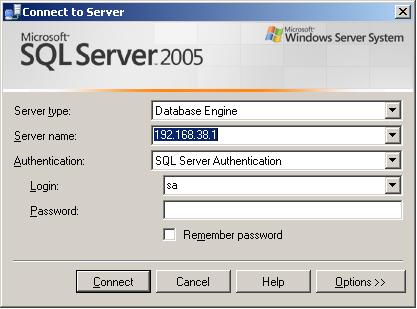
The Server name text box is where the server address (instance) goes. In this example I am using the IP address 192.168.38.1
To specify the port number use a comma and then the port number after it.
E.g. 192.168.38.1, 14333
That’s it, that is all you need to do. You would think something this important would be in the help screen when you press help.

 Stuff From an IT Slug