This is truly an exciting day for me.  The buzz around Microsoft’s latest OS reminds me of the release of Windows 95.  Back then it was the new platform, moving away from the DOS/Windows separate systems and memory issues.  It was a fun time.

Now,  many of us have used Windows XP for eight years or so, not liking the newer, problematic OS’s which have been released.  I have used Windows 7, and I like it and I know it will be the OS that corporations replace their aging Windows XP machines with.  It’s always a good feeling when things are moving forward in a positive direction

Happy Windows 7 Day!!

I have spent much of my professional career among the windows of MS Access.  No matter where I am working or what type of work I am doing, it just seems to follow me.  MS Access is surly one of the most important business application to ever hit the market.  I really don’t think too many people would argue that point.  Well, it’s great until you get big, but its a wonderful way to get there.

So tonight I spent a good 4 hours trying to export an MS Access report to RTF.  It wasn’t a complicated report by any means and it’s driving data source is pretty basic too.  Though for the life of me I could not print a clean report.  Either the lines would wrap in strange ways, or I would get blank pages, or the worst one, footer text landing on the next page.

I tried every grouping, ungrouping I could imagine, moved objects around and I just couldn’t get a clean report where footer text didn’t land on the next page.

What finally fixed my report is to leave some footer after the footer text objects.  About the same amount of space as the text objects themselves.  Once I did this, I did not experience footer text on the next page again.

It’s always something like this when working in MS Access.  You get real far in an app, and then hit some crazy snag that lays you up for some time.

Truly a love/hate relationship

I know I am not the first one to bring this up by any means, but it’s really bugging me.  I have done OK this year with my freelancing.  It hasn’t been too much work where I am enslaved completely, but enough to help with the bills around the house.  Supporting a stay-at-home mom and two kids burns money faster than I could ever imagine.  So most of what I have made has been burned away, and nothing has been paid toward taxes.  I know it will be a lot, but how much? A headline caught my eye (Extremely Important Tax Rules for Designers in the United States, at In The Woods [an rss I watch]) and basically kicked me in the butt to look into this before I am sitting down filling out my 1040.

With the year winding down, I am thinking about my tax return for this year and how my added freelance-earned money may effect it.  Well as I have read into it, it will effect it a lot!  One helpful article I found on the matter is, Taxes and Freelancing at About.com.  This article coverd much of the basics and has some good pointers on getting organized and what information you will want for filling out Schedule C on your tax return. The article supplied better information the the In The Woods one.

So, sure that is a bit of a pain, a lot more to organize and keep track of, but one of the biggest part of the pain is Self-Employment Tax.  What is Self-Employment tax, well in a nutshell its the Social Security and Medicare taxes you pay on any net profits you have.

The Self-Employment tax is 15.3% — Social Security Tax is 6.2% and Medicare Tax is 1.45%.  Wait you say, that only comes to 7.65%, and you are correct, though since you are self employed, you must pay the employee and employer portion of the tax.  7.65% times two is 15.3%.  For those of you who are a bit curious yes, if you are a W2 employee you pay 7.65% in Social Security and Medicare taxes.  Please note, in 2009 Social Security tax is only paid on the first $102,000 subject to Social Security tax.  I am sure this will play into your Self-Employment tax number too, though I don’t know for sure.  I can speak more to this once I go through it next February and if I make it over that amount

Please realize, I am not a tax accountant or CPA nor do I play one on TV.  The information written here is solely based on my readings and limited experience.  Consume it at your own risk.

It feels a bit strange seeing the one plus terabyte drives roll out to the market.  It reminds me a lot of when the one plus gigabyte drives came out.  It all really seems the same: sizes, pricing, amazement.

I look at some drives sitting around my desk; removed some time ago do the the plowing of a machine (I prefer a new hdd over erasing a current one).  I look at a drive, 80GB hmm, that seems small.  Really, did I just think that–yes I did.  Simply because the 500GB drive I have installed now has plenty of space on it.  This is no different than when it was 80MB drive and I had that first 720 MB drive in my main machine.  This all really has the same smell.

Funny, even though I balked at that 80GB drive, I plugged it in to load up my Windows 7 beta.  You know what, there was more than enough room for Win7, VS2010, Office 2007, etc.

What are we doing with all this extra space we have on these drives?

My wife and I got some kid-free time today and went to see Julie & Julia.  I must say, a very, very good movie.  Meryl Streep better get some type of award for her performance, it was just wonderful.  I spent much of my childhood watching Julia Child, and Mrs. Streeps performance was so right on!

After the movie, we stopped of at a book store to look around do some browsing without having to chase kids around.  Something we did a lot of, pre-kids.  I couldn’t believe on how empty the bookshelves were.  Only two book sections for computer books.  Amazing, I guess everyone is going to on-line tutorials and buying their stuff from Amazon.  Perhaps a story for another time, I digress.

While looking through the cook books I found something interesting, “501 Must-drink Cocktails.”

501Must-DrinkCocktails

So I have this intersting idea, to have 501 different cocktails in 365 days, and blog about my experience making and consuming the drinks.  My inebriated state could only help my writing I am sure.   What a perfect farce off of the movie.  It would sure make for an interesting time, nonetheless.

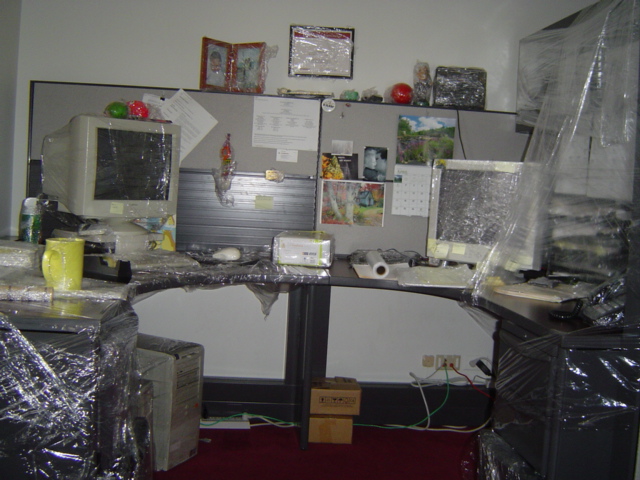
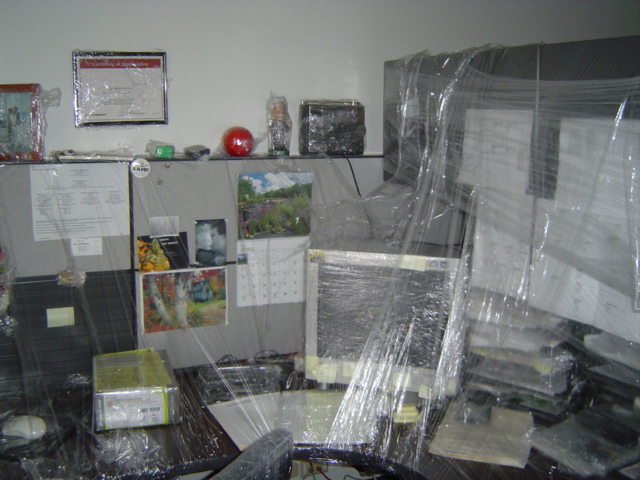
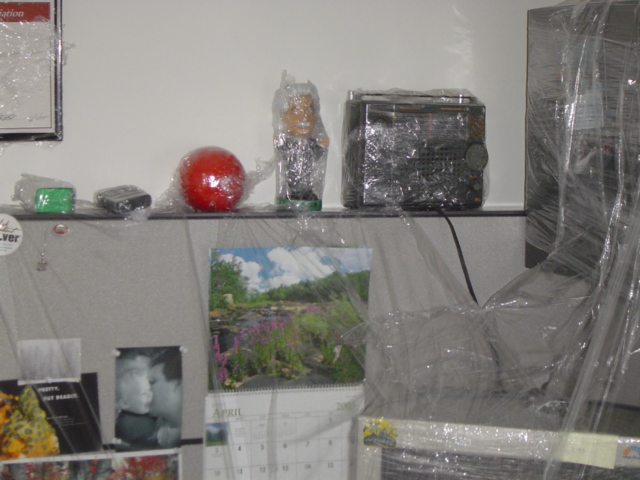
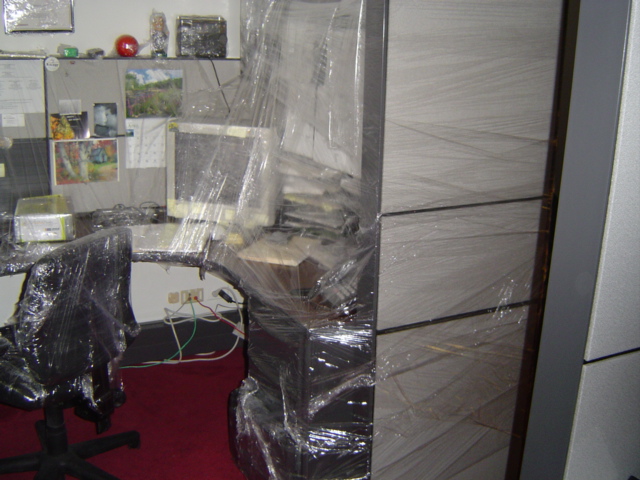
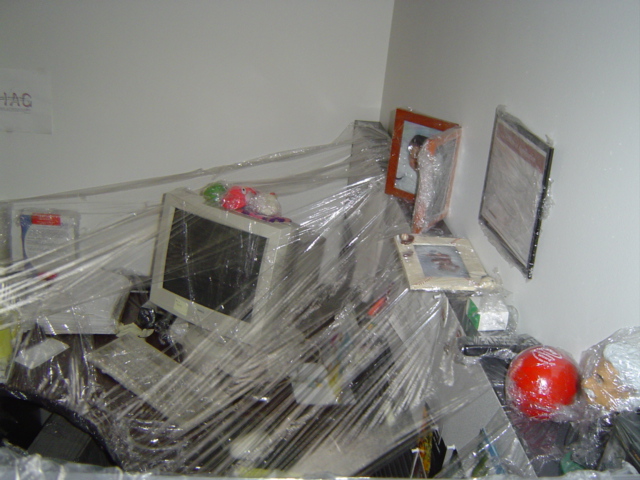
Now this is surely the way to come back from vacation.  A gift to me from fellow employees!

This actually happened a few years back, 2007 I believe, though I just came across the pictures again and realized I had never posted them before.

Enjoy

I couldn’t believe my ears when I heard this today on DNR show number 458 (great show by the way).  Scott Hanselman was explaining how he mutli-boots his machine not using partitions but VHD (Virtual Hard Disk) files.  There is a way in Window 7 to point your boot loader to, and run from a VHD file.  The OS DOES NOT run in a VM, it is running on bare metal!  The only down side is a slight reduction in disk I/O, but hell, what a traid-off!

My first question is that VHD transferable to a VM?  Sure all the hardware would change but would it work?  I’d really not like to go the other way, that seems even messier to me.

Ah hell what does it matter, I can boot OS’s from a file!, save them easily and move them around.  What a great/easy way to checkout new software.  Seeing that I am just getting into vs2008 and vs2010 beta 1 is out and I want to check it out.  This way I can with out plowing my machine or messing up my current build.

I know I am going to try this one out on my new Windows 7 RC1 installation.  I will write it up here while I am doing it.

Here is an artical from Keith Combs and another from TechNet Edge

There has been a lot of positive buzz about Windows 7; a lot of stuff that has me excited about it.  As a user of Windows XP, I want to move on.  Vista is ‘nice’ but didn’t really deliver anything extra for me.  Sure some nice eye candy, and perhaps nicer plug and pray, but what a pig.  It’s just a system hog, and I wasn’t ready to update any computers yet.

With the release of Windows 7 on October 22nd. 2009 I will be purchasing a new laptop with windows 7, and will probably get a version for my main desktop machine.  Though it’s only an AMD 4000, I don’t think I will have any trouble running Windows 7.  It’s that machine I am installing on today so I will be able to compare performance from the same system running Windows XP and Windows 7.

I received a product key, downloaded the iso and burned a new DVD.  For the system I grabbed an old 80GB hdd I am not using any longer and put it as the sole drive.

Never really using Vista myself (of course I have seen it and helped others with it) I don’t know it intimately.  This is going to create a bit of a learning curve here.  The installation moved along pretty smoothly; couple reboots, nothing special–then it happened.

Black screen.  I had a black screen with nothing more then version informaion at the lower right hand corner:

Evaluation copy. Build 7100.

I was still able to move the mouse pointer around the screen, but couldn’t do anything else.  I tried restarting, removing unneeded stuff, reloading.  Nothing was fixing it.  Time to hit the web.  It didn’t take too long to find, ten-fifteen minutes, I ran into this website, http://windows7forums.com, and they had a thread on this very issue.  It is definitely a monitor/video issue, though some of the resolutions where slightly different.

For me, it was having two monitors connected while loading.  Once I disconnected the second monitor from my system, Windows 7 was able to finish it’s “first time boot” and setup the environment.         Wow there is a lot of eye candy here!

I am running around setting stuff up, checking things out.  (cool wallpaper schems).  Let’s set up taskmgr to launch on start up.

Hey, why can’t I add a new shortcut on a right-click?  That’s a pain, what am I missing?

I created the shortcut to taskmgr on the desktop and copied it to the startup folder.  When I did that I was prompted for Admin rights to do that.  That is interesting, not sure if like that. I guess I need to take some time to look into security.  Specially since that was the single reason so many people hated Vista, it locked up so many areas breaking shit.  Whatever, as long as they haven’t totally abstracted everything away, there will be a solution.

Since I am trying out a new OS, I might as well load up a beta IDE too.  So I am now in the middle of loading up VS2010.  I have no idea if I will have any time to work with it, but I hope I make the time.

Windows 7 changing the wallpaper automagically is weird.  I dig it though.

Interesting, SQL 2008 (bundled with VS2010 beta) must be at SP1 or higher to work with Winows7.  I am glad it let me know while loading it.

Everytime I reboot and see that long-lived black screen, I get nervous that the system will lock again.

At this point, I will have to say that Winows 7 is running as well as a new installation of winows XP does.  It boots as fast plus launches and runs apps as fast.  Can’t wait until I get more stuff loaded.

My trip through ruby has been an interesting one.  It’s a pretty straight forward language.  I need some ideas to build so I can get more practice.

I have starting into rails to try that out, and it’s amazing how much of ASP.NET MVC seems to modeled off of it.  I really do love the MVC pattern.  What I am not loving is the total pain in the ass it is to work with rails configurations.  It’s like everything Linux, config, config, config.  Granted I really don’t know what I am doing when it comes to Apache, but things should not be this cumbersome, and not have a straight answer on setting up things like .htaccess files.

I am using my Dreamhost account to run my rails apps and I took a break from trying to get the static stuff to show on the site and not be sent through rails.  Items like css files, image file, etc.

I am assuming it’s something I need to do in an .htaccess file or something, but I am no positive, and there are direct configuration instructions on what to do.  So its trial and error, and there are a lot of it.  Shit, I can’t build anything because I am too busy configuring my server.  So sure Ruby on Rails may be great for rapid development, but if I can’t get it running, I am not getting anywhere.

Well, enough ranting, back to it….

Had another thought.  This really is where Microsoft shines and why they are used over other options, their stuff works.

I can remember back in July of 2008 or so when ASP.NET MVC was in beta one or three and I was tyring it out, I made it a hell of a lot further in a couple of days then I did with rails.  One thing to note is that I know IIS pretty darn well, and don’t know Apache that well at all, and perhaps that is the difference here.  Working with IIS for so many years much of is just natural, you don’t think about it.

Ah but wait, that is not it, because when I was writing ASP.NET MVC I was in VS2008 and the browser being used was  cassini web server (built into Visual Studio).  In this note, I guess that is the same as using WEBRick which I have not had issues using.  So perhaps all of this is due to my lack of knowledge of Apache?

For months and months now I have asked myself, “Self, what language next, Ruby, Python, something else?” and has driven me crazy.  Someday I will ask myself why I spent so much time thinking about it instead of just digging in to something.  Well the real truth to that is time.  Sure I have spent time on the Ruby site going through browser-enabled 15 minute intro and some general reading.  It never really sticks until you throw together a couple of apps.

Over the last eight months I have been on a big web front end kick, getting myself up to speed on web display stuff like CSS, JavaScript, and jquery.  It’s been a lot of fun, but I really am not a good page designer, so besides reproducting current layouts there wasn’t a real lot for me to do.  

And there is always ASP.NET MVC which I have been following and learning off and on since August of 2008.  Having the web skills when putting together some learning MVC sites was really useful.  Don’t worry, I wont go on another, “I love MVC…”, rant.

Saturday morning I was in our local library with my two sons picking out movies reading some books, messing around and found myself at the card catalog computer screen.  Hey do you remember actual card catalogs, the rows and rows of drawers which contained cards of all the books in the library.  Here is one area computers help one-billion percent.  Anyway, I did my usual search for ASP.NET, came up with the same books as usual.  A 2008 book I had already checked out (and didn’t like too much) during my web learning, and some older stuff.  Oh hum I thought….

Than I had an idea and started typing

ruby programming

A match, wow a match and a recent book too.  I was was feeling a bit excited.  Okay, let’s try another

python programming

Ah, nothing on that one.  Well that settles it—right, wrong or indifferent, I will start with Ruby.  Well, I have always been leaning this way anyhow.  The exposure I have had, I have liked, now to come up with an app to put together.  Then of course if I get my arms around the language I will have to move on to Rails, and Iron Ruby (Uses .NET’s DLR).